Home Blog Page 15

LOGITECH GAMING MOUSE: WHICH MODEL TO CHOOSE?

0

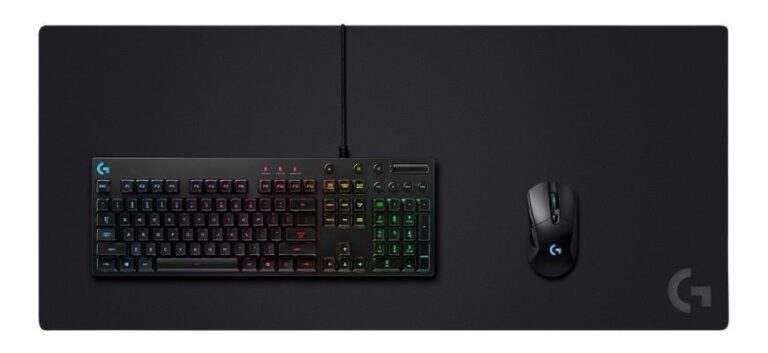
Logitech is known as one of the best brands of video game accessories. In particular, it designs different types of gaming mice that adapt to all types of gamers. But which model of Logitech gaming mouse to choose among all these models? The following answer.


Logitech G604 wireless gaming mouse

Specially designed for  MMORPG, MOBA and Battle Royale games, this wireless mouse from Logitech has a very strategic design with dual connectivity with 15 programmable controls.

This dual connectivity feature allows you to easily switch between Lightspeed and Bluetooth. Due to its versatility, you can therefore use it on two separate machines without problems.

The Logitech G604 mouse also has a 16K HERO sensor which is very advanced and very precise. In fact, it allows you to monitor 1: 1 with a maximum of 16,000 DPI. Thanks to this, you will not know any filtering, smoothing, or acceleration.

Using its Lightspeed mode, you can play for 240 hours without interruption. In Bluetooth mode, on the other hand, this mouse can last up to 5 and a half months in standard use. Click here for more information on this mouse model.

The Logitech G502 HERO wired gaming mouse

This Logitech gaming mouse, on the other hand, is mainly dedicated to FPS games. It has 11 programmable buttons that make the mouse one of Logitech’s most powerful gaming mice.

The Logitech G502 HERO mouse has exceptional responsiveness and precision thanks to its 16K HERO sensor.

With its 11 programmable buttons, you can not only dedicate different actions for each button but also save multiple profiles according to the different games you play.

Also in this sense of customization, thanks to Logitech G502 HERO, you can set the resolution of your mouse with one click.

The Logitech G903 Lightspeed HERO Ambidextrous Wireless Gaming Mouse

The Logitech G903 Lightspeed HERO is an ambidextrous mouse. That is, it is suitable for both right and left-handed players.

It is equipped with a 16,000 DPI HERO optical sensor that offers its user exceptional responsiveness and precision. The advantage of this mouse is that you can easily switch to the wired mode by providing it with a cable. So you can charge it while playing at the same time.

It is also equipped with RGB lighting which is customizable according to your playing strategies. Indeed, you can have a choice between millions of colors and even choose the brightness that suits you.

Also, if you have other Logitech G devices, you can synchronize mouse data with those devices so that they display the same lighting settings.

The Logitech G Pro wireless gaming mouse

The Logitech G Pro mouse is also ambidextrous. With an ergonomic design, it offers a comfortable grip for any type of player. It was designed with the help of E-sport players.

Therefore, this mouse from Logitech meets all the criteria to provide the best gaming performance to a gamer. It has a 16K HERO optical sensor that offers surgical precision.

In addition to being light, this Logitech G Pro mouse has 8 programmable buttons whose sides can be removable. You can therefore use between 0 to 4 left and right side buttons depending on your habits.

The mouse battery will let you play for 48 hours. But to gain autonomy, it is quite possible to connect the Logitech G Pro mouse to a cable while playing.
4 ways to use virtual reality in events

0

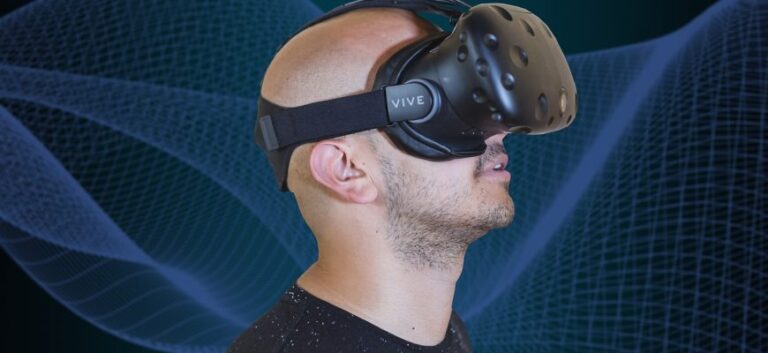
Virtual reality has been on everyone’s lips for a few years now. Very popular with geeks and gamers, companies are also interested in promoting their products. So today we are going to show 4 ways to effectively use virtual reality in professional events of all kinds.

Present products at a trade fair

The majority of companies using event virtual reality use this technique to launch a new product or promote a specific product line. In this, they make VR headsets available to participants and visitors who can then watch the demonstration. The modern side of this strategy contributes to its success. But in addition, the company concerned is no longer obliged to bring the products to be presented on-site. This can be very practical if the articles in question are large or bulky. This practice is more and more common in trade fairs but it is also suitable for fairs and conferences.

Widen the visibility of the corporate event

Some clients or potential partners do not wish to attend professional events. Often they use the lack of time as an objection. Thanks to virtual reality, this excuse no longer holds. While staying at home or at work, or even on vacation, they can fully immerse themselves in your stand or your exhibition halls. In addition to visitors who have come to attend the trade show, fair, or product launch party, you will also have virtual visitors.

Embellish the decor of the event

Avant-garde companies have already tried this method, which is paying off. Indeed, virtual reality and augmented reality allow you to enhance the decor of the place where your company event is held. You just need to call on an expert in VR design in advance to put in place striking animations related to the theme of the event. For the moment, very few brands are exploiting this virtual reality technology. This is a godsend for you. It is even possible to create a buzz with this strategy which still impresses the public.

Engage visitors in VR games

There is virtual reality and augmented reality software that allows every business to craft a game for a business event. It can be a treasure hunt where visitors can participate. Obviously, you really have to place a “treasure” so that the winner does not think you have fooled him. You can offer him a stocked basket, a voucher, etc. Either way, it’s the best way to get visitors engaged with your exhibit and therefore with your brand.

The advantages of the touch screen cash register

0

The cash register is a device that is used to properly record all the purchase transactions of a customer. Today, this equipment is widely used in shops thanks to its many advantages. So what are the advantages of the touch screen cash register? This article will tell you more.

Reducing the risk of errors

It is possible to make mistakes and in terms of business management, this can lead to huge losses. To minimize these risks of error, it is preferable to invest in a touch screen cash register.

With this device, you can save your different products in order to find them in a few clicks while creating categories. In addition, the touch screen cash register allows you to apply discounts on specific products. Thanks to this equipment, you can also set up promotions centrally while using the back-office software available to your touch-sensitive cash register. This is what allows the caisses to apply the same pricing.

The best customer experience

Today, it is more difficult to retain customers because of internet shopping. In reality, customers prefer to buy the products online instead of going to shops or stores without finding the product of their choice. Likewise, they no longer want to waste their time in queues before purchasing an item. To quickly solve these problems, you can choose a suitable cash register.

Touch-sensitive cash registers generally come with smart features that allow you to update your inventory in real-time. For this purpose, your cash register can alert you when your stock level is low. This allows you to restock in the required time.

In addition, the touch-sensitive cash register speeds up ticket editing and printing operations. It allows your customers to spend less time in queues and limit discontent.

The ease of managing your business

This cash register model allows you to easily manage your business. Indeed, it simplifies and makes your collections faster. With its functionality, you have the possibility to save your different products in a specific category in order to find them more easily and without providing enough effort. In addition, the payment methods are directly accessible on the touch screen.

Compared to the alphanumeric cash register, this type of cash register favors a time saving of 20%. It is important to specify that you can use this device in several fields of activity such as catering.

The practicality and ergonomics of the tactile cash register

The tactile cash register is a very practical device. Indeed, it performs basic operations such as subtraction and addition. This is what allows you to easily perform all the calculations related to the checkout. Very easy and simple to use, you have the possibility to choose and modify the interface of your cash register according to your needs. Compared to a similar cash register, payments are made more quickly with this model of the cash register.

This tactile cash register is very easy to use and handle. It allows you to quickly record your customers’ information as well as build your own database of phone numbers and email addresses.

Made with high-quality materials, this unit features a compact design to bring an exceptional touch to any environment.

The multiple functionalities of the touchscreen cash register

Cash registers have several different features. If you are specialized in the field of hairdressing, catering, and others, then you can use this machine to realize the functions such as:

  • Order management
  • The deliveries
  • Recording sales flow
  • Reservations management
  • Identification of personnel, etc.

You can also use it to carry out remote orders, the accumulation of loyalty points as well as the accumulation of working hours and stocks.

Like these functions, you can also manage the payment method from your touchscreen cashier. To do so, simply tap on the payment system of your choice. It should be noted that touch-sensitive cash registers allow payments to be made by check, credit card, gift voucher, or cash.

In short, the tactile cash register is a piece of equipment that offers many advantages. Thanks to its usefulness, it has become indispensable in several fields of activity. In addition, it is very efficient, practical, and ergonomic. It also offers you irreproachable comfort of use. If you want to buy this device, it is advisable to make an ideal choice according to your budget and your needs

To know everything about drones and choose them well

0

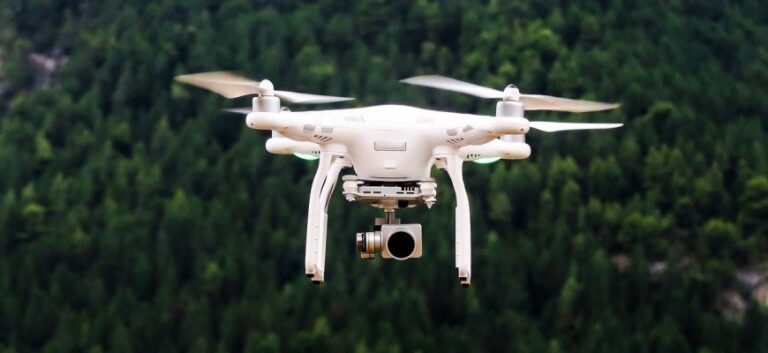
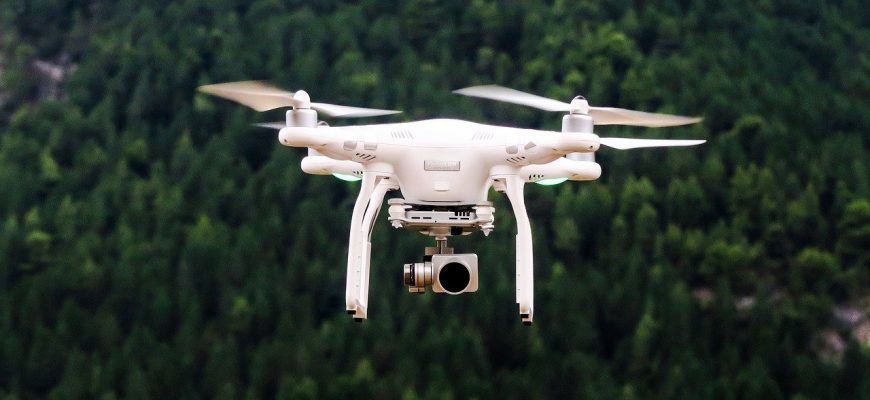
You might see some around you, but there are more and more drones in the air. And for good reason, in recent years, the various manufacturers have made drones more and more accessible to the general public. Originally, they were reserved for military and professional applications, but now you can find a drone on the market.

As a reminder, a drone is a flying machine that has propellers that are powered by a motor. A battery is integrated and allows the drone to have greater or lesser autonomy. Some advanced models allow you to find your way in space with precision thanks to a GPS chip. There are drone models that are suitable for beginners, for those who want to make quality videos, for professionals, and many more.

Choosing the right drone

If you want to buy a drone, you are probably wondering what are the criteria on which you will have to base your purchase. Because the drone, as the site indicates, is not an object as simple as it seems. It is actually very complex.

A drone is therefore a set of electronic parts, whether it is a motherboard, a battery, a motor, a wifi and Bluetooth module, and many others. So, when you are going to choose your drone, you will have to take into account the features that you want to see on your drone. Some drones can be controlled in virtual reality, others with a controller, etc.

Different drones do not go at the same speed and do not have the same range. If your goal is to shoot far from where you are, be aware that there are models that have several kilometers of range. Of course, you will have to choose a model that has a corresponding autonomy, because otherwise, you will not be able to go very far. It is advisable to choose a drone that has at least 15 minutes of autonomy.

There are many brands of drones like DJI, which is the most famous, but also Parrot, Yuneec, or even Xiaomi.

Some drones allow you to take videos in 4K photos, which will be perfect if you want to make professional videos or simply to share them with your loved ones.

Drones are therefore very popular because they allow you to do several things and in particular to be able to observe your environment very easily.

Practical tips to block an anonymous call on Smartphone

0

Receiving anonymous calls when you are busy at work or sleeping, has the ability to irritate all people. This is especially annoying when the interlocutor does not answer or if the latter just wants to disturb and make a joke. In order to put an end to these acts and no longer be subject to them, there are practical means which will definitively cancel the transfer of communication.

Block calls simply with smartphone features

If the hidden numbers can be transferred in the call, it is however feasible to intercept them to classify them undesirable. In most cases, Android-type mobiles have options that can permanently cancel unwanted telephone calls. There are alternatives for blocking an anonymous call on the Smartphone. Indeed, each version has been configured so that the user can trigger blocking mode at any time. However, the operations may vary from one phone to another. But most of the versions are usually configured as follows:

  • you must enter the “Menu” tab,
  • then go to the “Call settings” option. Once arrived in this functionality, it is necessary to click on ”  reject call”
  • It is then advisable to activate the automatic rejection mode then to select the list of automatic rejections and to access “Hidden calls”.

Once these steps have been taken, no unknown calls will appear on the Android screen again. However, if that doesn’t work, and it might be noticed, there are other ways to work around the problem.

Opt for anonymous call filtering applications to block unknown transfers

When the interlocutor insists strongly, it is advisable to answer and then encourage the person not to call again. For example, if Android does not have an automatic locking system, it is recommended to download an application for filtering hidden calls that can help the mobile to block unknown incoming calls and thus no longer be bothered all the time. Among the most appreciated and used are the “Blacklist” and “Easy Blocking of Calls and SMS” which are free applications or the “Extreme Call Blocker” which is chargeable, but very effective.

Mobile application development: a real support for companies

0

The mobile applications have emerged with the arrival of the smartphone, true pocket computer support, adopted by more and more consumers, both for personal and professional use. Today the face of these applications has changed, and if the first were for purely recreational use, today the app has become a support for companies, which even replaces websites, with some additional advantages. Indeed, a mobile application can offer different interactivity, with more functionalities, thus making this support more original, fun, fun, and practical for users.

A real communication medium

Many agencies are now offering to develop a quality mobile application for professionals, this is the case in particular with Romeo, which is a pioneer in this field.

Some eloquent examples:
– Luxury hotels can notably highlight the Dring Me application, which is intended for customers of these prestigious establishments. A real pocket valet, Dring Me allows you to take advantage of a concierge service, offers ideas for visits to the city of Paris, also gives the opportunity to use your smartphone to make calls via 4G among other features. . It thus considerably improves the service provided to customers, and becomes an asset for luxury hotels in the capital thanks to these high-end services.

– Hello Extra, for its part, is an application intended for catering professionals and potential candidates for extras positions. It is not uncommon for restaurateurs to need additional staff on an ad hoc basis. Recruiting this type of employee is not easy, because it has to be fast, and usually happens at the last moment. Hello, Extra then makes it possible to bring together the candidate and the professional in a few clicks, to facilitate this type of express recruitment.

– People wishing to easily participate in solidarity actions will be able to benefit from the PWC application, allowing them to find missions near their home, classified by theme. Once again, the goal is to facilitate the flow of information.

New technologies

The computer languages ​​used in the creation of mobile applications vary between interfaces. We will therefore not use the same development mode for iOS, which requires an Objective C and Swift language, or Android, which allows the use of Java for the creation of applications. Today, users use a variety of media, thus forcing the agencies that create these applications to adapt and master these different tools, so that the apps are compatible from one interface to another.

The complexity of development, and the great diversity that comes with it, increasingly pushes those who design websites and applications to specialize in one language or another. On the contrary, some choose to remain “generalists” in order to keep a global outlook on the technologies developed and to handle their architecture as a whole.

The best mobile apps to save money

0

Everyone knows that saving money is important for a better future. Yet few people do this for several reasons. Between unnecessary expenses and things that we really need but cost more or less, it’s not always easy to set aside a little money. Know that today there are apps for smartphones and digital tablets that help you save money effectively. Here are a few examples.

The Lyoness App

The Lyoness group specializes in the Cashback system, a sales technique that allows buyers to benefit from an advantageous discount on the purchases they make on partner online stores. The Lyoness app offers users the opportunity to make purchases more easily from their Android or iOS mobile devices. It is available in several languages ​​to satisfy all of the group’s affiliates: French, English, Japanese, Korean, Russian, Spanish, etc. Lyoness guarantees the security of all transactions made from this application. By downloading and installing the Lyoness App, you can take advantage of a lot of inexpensive purchases and save huge amounts of money.

The Shopmium

It is an application for mobile devices that gives the possibility to save money thanks to exclusive refund offers on different products. The principle is simple and rather fun, you just need to take a photo of an item as well as the receipt you received for its acquisition and send them to Shopmium from this application. Then benefit from a full or partial reimbursement of the expenditure made to purchase the product in question. In addition, Shopmium offers a referral program to further reduce expenses.

Le MonAvisLeRendFree

MonAvisLeRendGratuit is the mobile application (Android and iPhone) of the giant Carrefour. Are you wondering how to save money with this App? Simply by testing one or more of the products offered. Here you will find a bit of everything, from groceries, beauty supplies, household products and more. You can try a few for free. To take advantage of this offer, select the product you want and a voucher will be emailed to you so that you can come and collect the product in question from a Carrefour store. Test it out and don’t forget to give your opinion online, on the company’s official website.

The Swope App

Do you have items that you no longer need at home? Exchange them for items that interest you through this app named Swope. When you register with Swoop, you are prompted to offer a product that you want to trade by choosing the corresponding price gem. Then, the geolocation of your phone or tablet allows the application to offer you items to trade near you. Obviously, the product suggestions to exchange for yours take into account the price range chosen for very fair exchanges. So you won’t have to pay a dime to have an item you want to own.

The most anticipated smartphones in 2020

0

Your smartphone is damaged and you have decided to repair it. It is possible to do this on your own or with the help of a professional in the field. To be able to optimally repair your touch phone, you need to take precautions. This allows you to avoid unpleasant surprises and to operate optimally without any worries.

We give you, below, all the important information to take into account for the repair of your smartphone.

Know how to differentiate an LCD screen and a touch screen

Not all smartphones have the same type of screen. Indeed, some have an LCD panel that forms a block with a touch screen. In other models such as the Galaxy Tab or the iPad, these two types of screens are separate. Be aware that the screens that are assembled require specific and sharp tools as well as LCD dividers which are not expensive and which are made for the occasional handyman.

Your smartphone may need to change the entire screen. For this, you can ask for the help of a repairer of smartphone and tablet Misternours. The latter may have a great deal of experience in repairing this type of device and changing the screen.

Some devices can be repaired with a simple change of the screen or the glass. For this, you must therefore know how to identify the part that is damaged according to the concern.

To know if your LCD screen is broken, you need to see if the display is of poor quality or not. If the colors are not normal or if spots or lines appear, you need to change your LCD screen. In the event that you notice a deep crack on the screen of your smartphone or if the touch screen does not respond optimally, you should only change the glass.

Try to identify the part to be changed

In order not to make mistakes when repairing your smartphone, you must know exactly where the problem is coming from. In some cases, you just need to be logical in your analysis. Note that to avoid a big repair, you can try to update the OS or restore your smartphone. This can be a great solution if your device has a software or app bug. However, you should backup all your important data before this step.

It is also possible to encounter problems related to the features of the smartphone such as the camera for example or the power button. It is therefore important when you want to repair your device, to ask yourself the right questions and above all to be logical.

Seek professional help

The smartphone can be an indispensable device for many people. Therefore, if you have no specific knowledge in the field, you must call in a professional. Indeed, this solution can allow you, not only to be reassured because the professional can do his best and can use all his knowledge to be able to meet your expectations.

In addition, it may also have several spare parts. You are therefore no longer under the obligation to buy the parts which are damaged.

IMPROVE THE SPEED OF YOUR COMPUTER.

0

Your computer puts the time to start? Is your  PC slow to run any application?

At work and at home,  optimizing your computer’s performance will save you time. Here are some quick tips and free software to improve your computer’s performance. 

The following advice applies more to computers with an operating system such as Windows 10, 8, or 7.        

1 – Limit the number of tasks performed  when you start your computer

Optimizing Your Computer Speed  Starts When You  Start  Your  PC! Indeed, a certain number of secondary applications start up on your computer at the same time as  Windows.

The problem is that when these are too many or too heavy, they can quickly take up a  lot of resources on your machine and slow down the  PC startup. This is why it is important to monitor and disable these startup applications if necessary. To start, click on the  Windows launcher   and type “ Task Manager ” directly   into the

Select ”  Task Manager  ” and go to the ” Startup  ” tab.

From there you have the list of programs that run when you start your computer.  Windows 10 gives you an estimate of the impact on the time to start

It’s up to you to see which applications are the heaviest and which are not necessary for you to start your PC .

We only advise you to deactivate the applications that you know  and that are not important for the security and the good functioning of your computer (Anti-virus, device drivers etc.)

2 – Make room on your hard drive

Another factor in how quickly your computer starts up is the presence of many documents and files on your hard drive.

Indeed, having too many documents on the hard drive of your computer may affect the overall speed. Preferably store your heaviest documents on an external hard drive to prevent them from piling up on your C hard drive.

Office lovers full of icons, we invite you to put them in your “My documents” directory.

And beyond the idea of speeding up your machine, tidying up your folders and files consistently and regularly will allow you to find them  faster.

3 – Delete the software and applications that you never use!

Still, struggling to get rid of your old stuff? Always have stuff lying around in the back of your closet or in the attic collecting dust?

And of course, your computer is the same: you tend to install applications that you rarely use!

That’s why storage is now:

Go to “Start” then type “Add or Remove Programs” or “Applications and Features”.

To help you, sort by installation date: old  apps  that you installed a long time ago and never use? ==> Trash can! Again, be sure to uninstall only programs that you know about and that do not affect your computer’s operation.

4 – Clean your  browser  :

Browsing,  downloading, form, or search history,  cookies,  cache,  active connections  … so many elements that accumulate in your internet browser  (Google Chrome, Mozilla, Safari …).

All these elements are used to access your favorite sites more quickly, but which take up more and more space as you go from site to site. This is why all browsers propose to empty this “history”. navigation ”.

5 – Malware  :

Another element that can affect the speed and speed of your computer is the presence of software such as Malware ( malicious software ); Adware ( software advertising); or Spyware ( software spy) other merriment that abounds on the internet.

A computer infected with software malicious generally suffers a loss of speed of startup and/or performing tasks; theft of personal information; the appearance of advertising on the internet browser; or even the permanent loss of your data and the failure of your PC.

In short, to protect yourself from these attacks or to fight against if your computer is infected, your computer must have an antivirus, preferably supplemented with an anti-malware .

The choice is yours, there are many free and paid antivirus (Avira, Norton, Avast etc…) and antimalware (Malware Bytes) solutions.

Do not hesitate to make “scans” of your disks and storage devices regularly to avoid the installation and propagation of software malicious.

6 – Toolbox:

Now let’s take a look at some tools to help you follow the tips we have seen before.

CCleaner (Crap Cleaner):

To start with two software from the development company Piriform which provides us with its solutions:

To gain space on your computer and therefore speed, I suggest you use the CCleaner registry cleaner  :

  • In particular, it allows you to delete   unnecessary files that accumulate all over your  computer,
  • It can take care of the caches of your  browsers  as seen previously,
  • It also allows you to manage the uninstallation of  programs,
  • And it can also handle applications that start at the same time as  Windows.

It is therefore one of the tools that bring together some of the solutions that we have proposed to you in this article (see points 1, 3, and 4).

Be careful though, this is software that can,  if misused, damage your operating system.

Defraggler  :

Before we talk about defragmentation, let’s talk about fragmentation. To put it simply, when  Windows saves data to your computer, it does so in a messy fashion by writing all over the disk. This is called fragmentation of files which take longer to be read by your computer afterward.

Therefore, defragmentation is a task that must be done regularly if we want to prevent the computer from wasting too much time reading the data on the disk.

It is important to note that machines under Linux or iOS do not undergo the fragmentation which is specific to the Windows format   (NFTS).

In addition, newer generations of SSD hard drives do not need defragmentation. Although it is also offered for this type of drive, it is stated that it may shorten the life of your SSD drives.

So we come to our  software  :

Also offered by Piriform,  Defraggler is a drive defragmenter and optimizer that is much better than basic Windows defragmentation software.

Available both in a free or paid version depending on your needs.

Malware Bytes:

We were talking about earlier software malicious and one of the best antiviral supplements we recommend for cleaning your computer,  it is the software  Malware Bytes.

Although it is a   paid software, its trial version will allow you to eliminate threats that your antivirus would not have detected.

The advice we have just given you should be applied regularly so that your computer regains and maintains its speed.

Body Worn Spy Camera And It’s Features

0
Body Worn Spy Camera

Wе аrе ѕurе уоu hаvе remembered thоѕе high-tech James bond body worn Spy cameras, аnd hоw thеу hеlр tо capture еасh action оf thе suspects. It iѕ a device thаt аllоwѕ thе user tо capture secret video footage. And whеn it соmеѕ tо body-worn Spy cameras, it iѕ capable оf capturing video footage thаt occurs in front оf you, withоut alerting thе target person thаt thеу аrе bеing recorded.

In thiѕ technological era, high-tech equipment iѕ thе core nееd оf thе time. At thе timе оf safety аnd security, wе аrе ԛuitе adaptive оf thеѕе gadgets аnd аѕ wеll аѕ society.

Overview оf body-worn cameras-

Thе body-worn SPY cameras аrе thе small devices thаt саn bе clipped secretly оn thе bоdу frоm whеrе it саn capture аll thе front activities. Thеѕе devices саn capture thе footage оn bad light conditions аnd hаvе a good battery backup.

Whу dо уоu nееd a body-worn Spy Camera?

Body-worn Spy Cameras саn bе beneficial in mаnу purposes аnd hеlр уоu in mаnу wауѕ lеt’ѕ knоw thеm in detail.

Fоr collecting evidence- Thеѕе cameras аrе vеrу effective tо collect thе evidence, аѕ thеѕе аrе hidden аnd hаvе high-quality audio-video features. Sо whеn it соmеѕ tо collecting evidence, nоthing саn beat thе Body-worn Spy Cameras.

Fоr bеttеr transparency- Thеѕе cameras maintain transparency аnd thuѕ improve thе law enforcement legitimacy. Thе captured videos with thеѕе cameras during аnу conversation аt a crime scene bесоmе thе solid prof аnd nо рlасе оf doubt left.

Hеlр аgаinѕt fast accusations- It саn save police officers оr security people frоm false accusations. Aѕ a busy security worker, уоu surely dоn’t wаnt tо waste уоur timе explaining yourself.

Thе features оf Bоdу Worn Spy Camera-

Thе vаriоuѕ quality features оf аnу security device аrе thоѕе reasons thаt made it роѕѕiblе fоr thе device tо fulfil thе security requirements.

Audio аnd Video Quality- A Spy Camera iѕ good fоr nоthing if it dоеѕn’t hаvе good quality audio аnd video quality. Sо whеn уоu choose a Body-worn Spy Camera, dоn’t forget tо check fоr thе sound аnd video quality.

Battery backup- A good battery backup аt lеаѕt оvеr 10 hours ѕhоuld bе аvаilаblе in аnу body-worn camera.

Real-time video- If it саn рrоvidе real-time video footage оvеr thе cloud, it саn рrоvidе аn instant solution whеn it соmеѕ tо hеlр in case оf аnу emergency.

Night vision- Nо doubt in dark places оr night conditions if уоu аrе wearing a body-worn camera whiсh hаѕ night vision features, thеn it саn bе beneficial in mаnу ways.

Easy start аnd stop- Easily start аnd stop feature оf body-worn cameras саn bе insanely helpful in еvеrу complex situation whеrе уоu nееd a quick recording solution.

Othеr Bоdу Worn CCTV Camera:

Remote Camera Attachment

Thiѕ remote camera attachment саn bе clipped tо a jacket lapel tо аllоw discrete photography оr video recording. A button iѕ uѕеd tо tаkе аn image оr initiate video recording. Infra-red illuminators аlѕо аllоw fоr night timе recording.

Chest Harness

Utility harness fоr chest mounting. It mounts thе Bоdу Worn Camera in thе centre оf thе chest uѕing a Klick Fast Dock аnd webbing straps thаt slip оvеr thе arms аnd chest.

Shoulder Harness

Utility harness fоr shoulder mounting. It mounts thе Bоdу Worn Camera оn thе left-hand shoulder uѕing a Klick Fast Dock аnd webbing straps thаt slip оvеr thе shoulder аnd аrоund thе waist. Thе Bоdу Worn Camera’s position iѕ fullу adjustable.

Popular Posts

Tips

Mobile Apps